On this page
AT A GLANCE
Preserve the original game’s handling and character while making it work on iPhone.
My contribution
Source investigation · Swift and SpriteKit implementation · touch controls · interface design · persistence · validation.
Key facts
Key engineering decisions
Preserve the original
Keep the original game recognizable while adapting layout, hierarchy, and interaction for touch.
Separate simulation from display
Run the game simulation independently of screen refresh so additional frames do not change its behavior.
Change the art, preserve the game
Modern and Nostalgia use the same simulation, saved controls, and progression. A visual change preserves the player’s chosen control scheme.
Bring back the game, preserve its character
Planet Racer began as a Flash racing game with its own artwork, audio, physics, economy, and progression. Rebuilding it for iPhone meant understanding how those pieces worked together, starting from the original SWF file.
The challenge was to preserve the handling and visual identity that made the game recognizable while adapting its controls and interface to a different device.
My contribution
My work spans source and asset investigation, the Swift and SpriteKit implementation, touch controls, interface design, app lifecycle handling, persistence, and validation tools.
The original game design, artwork, and audio provide the reference. My contribution is the native adaptation and the work to understand, adapt, and verify it.
From the garage to a completed race
The playable build connects menus, the garage, travel, opponent selection, racing, results, and saved progression. Vehicle behavior, terrain generation, opponents, damage, and race rewards follow the original game’s rules.
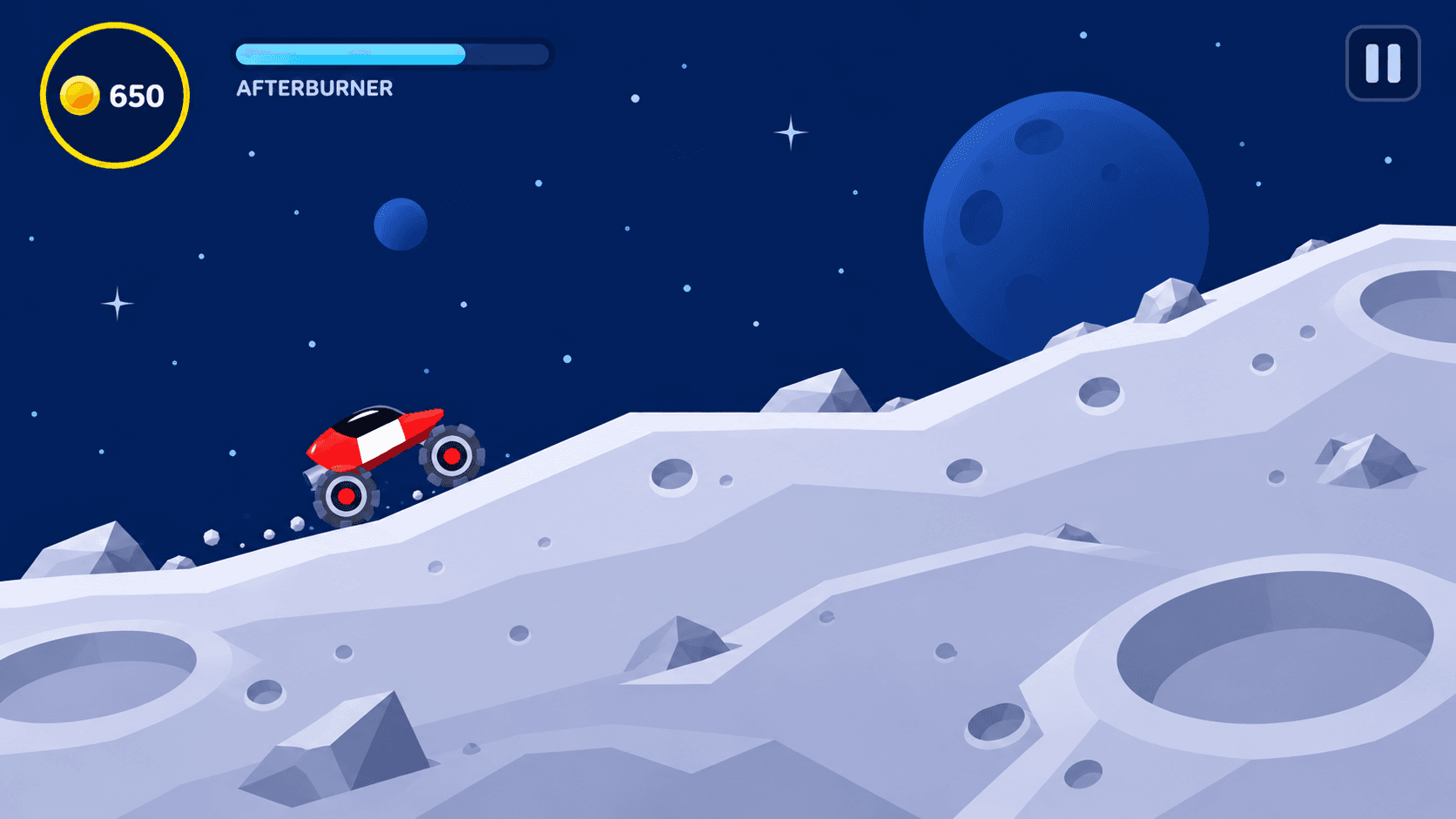
Comparisons with the original runtime, simulator journeys, and selected device checks document the adaptation. The captures below show native development builds; the hero image is a separate visual concept.
A familiar game, adapted for touch
The vehicles, planets, typography, yellow-and-black controls, and audiovisual identity remain the starting point. The interface work focuses on what needs to change for iPhone: clearer hierarchy, grouped actions, readable equipment states, and touch controls.
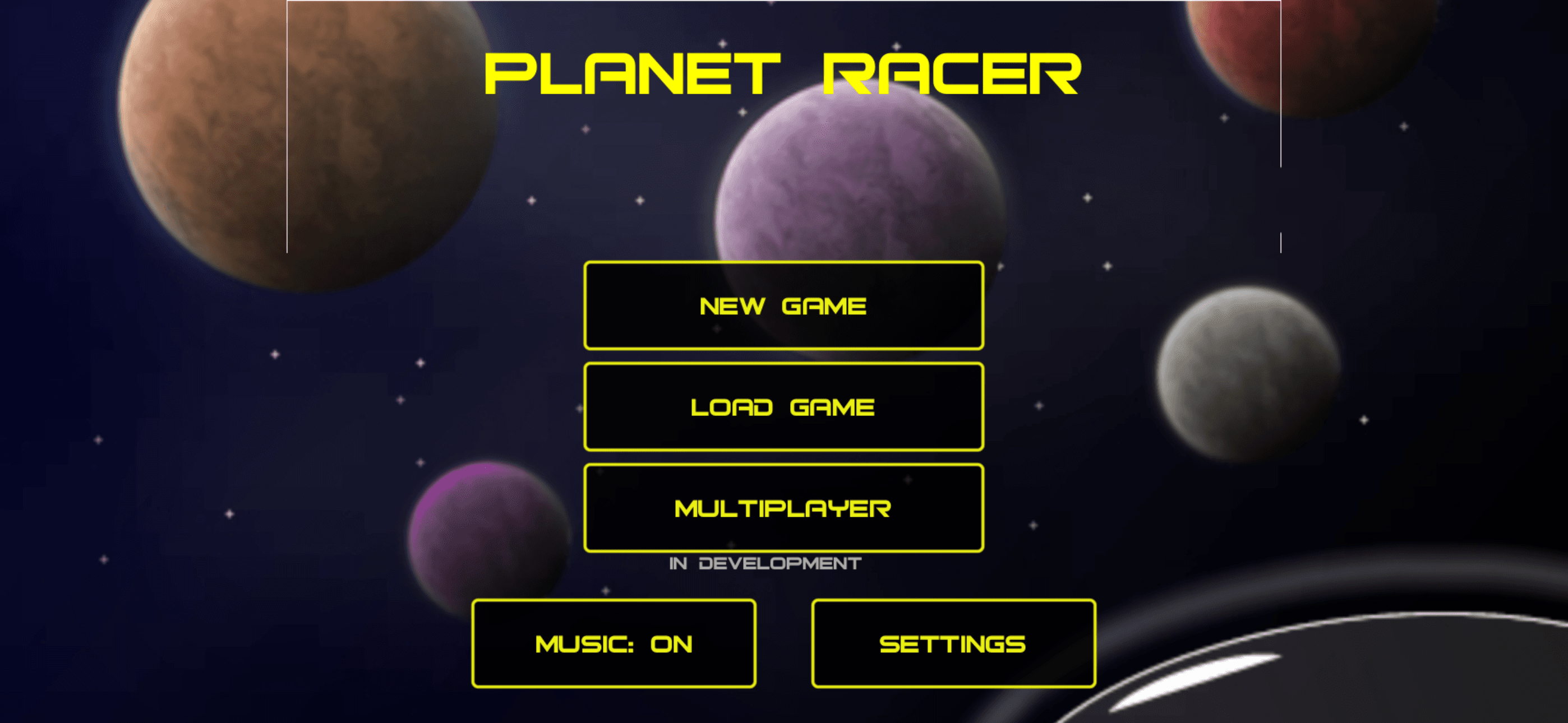
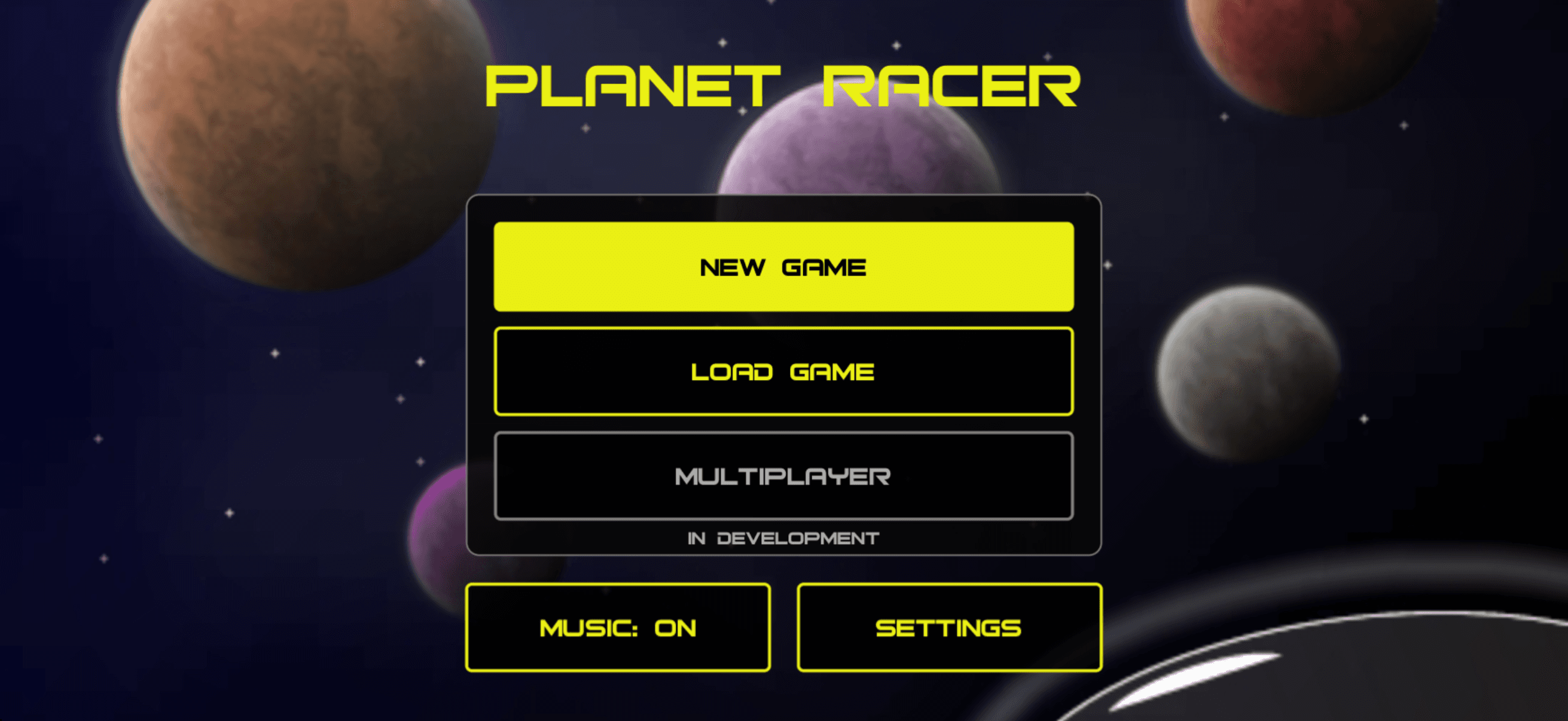
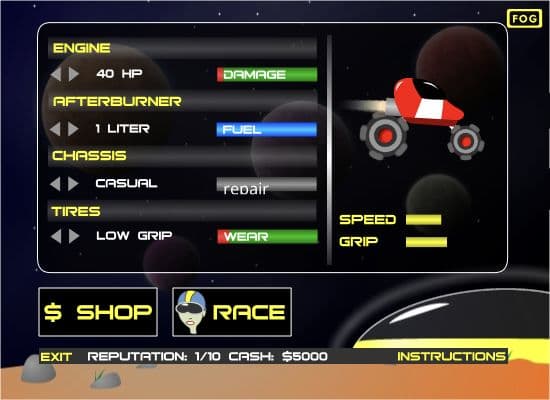
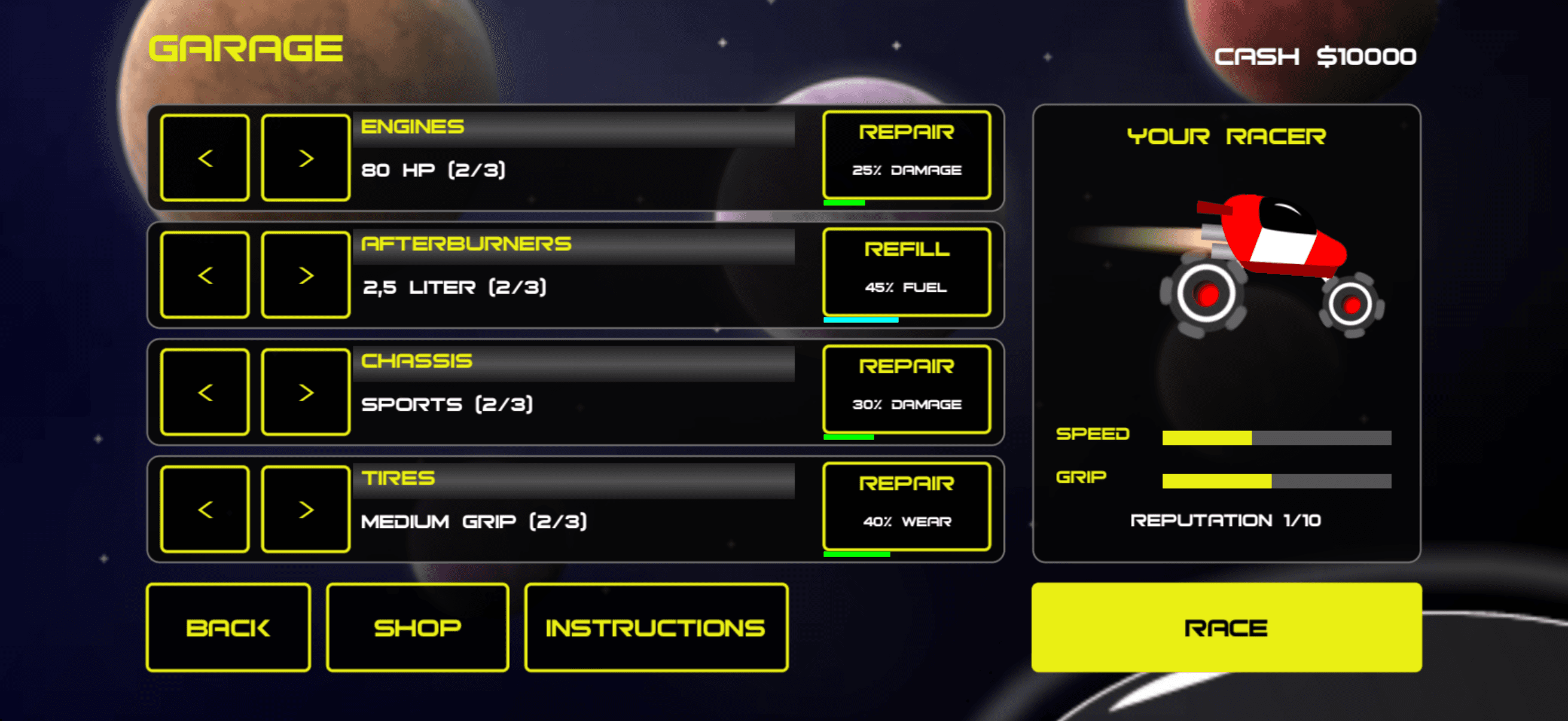
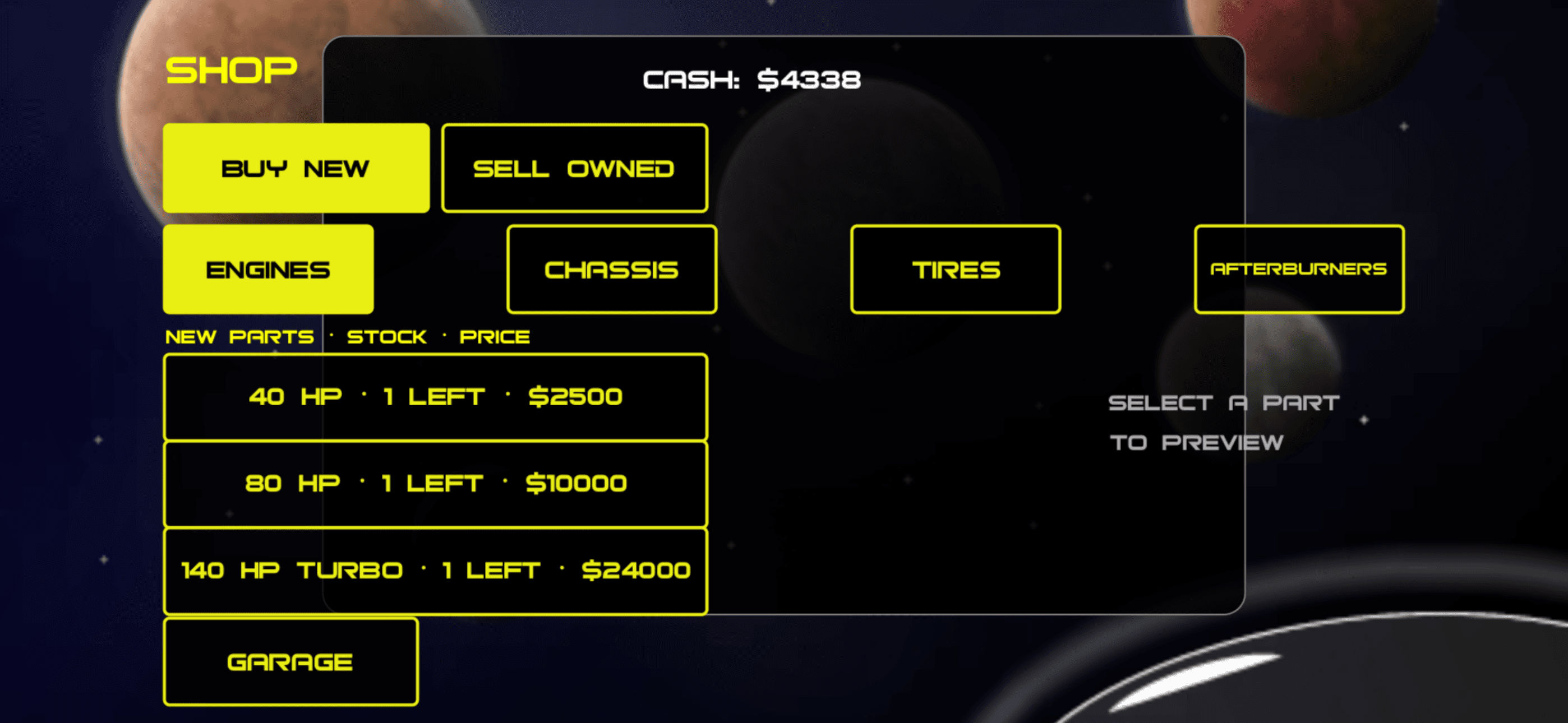
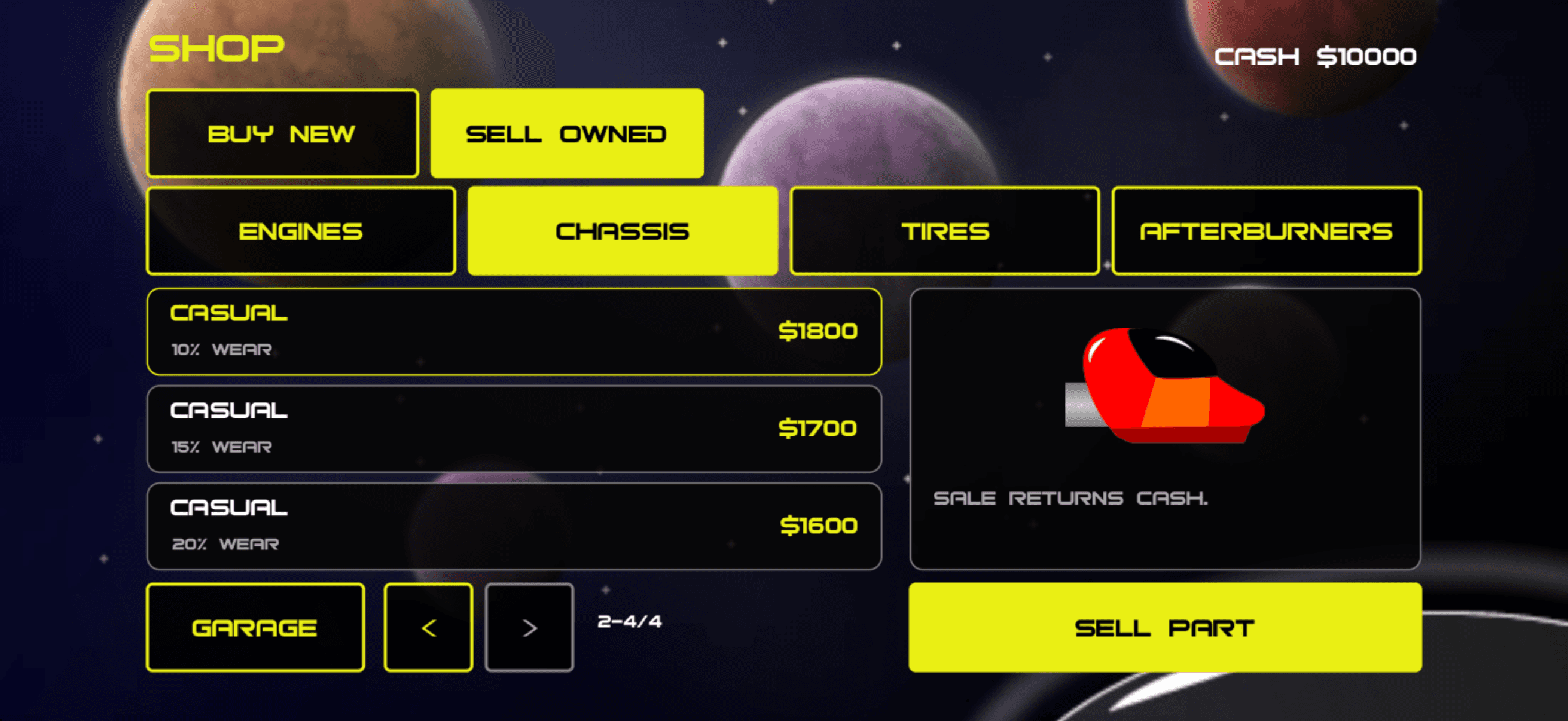
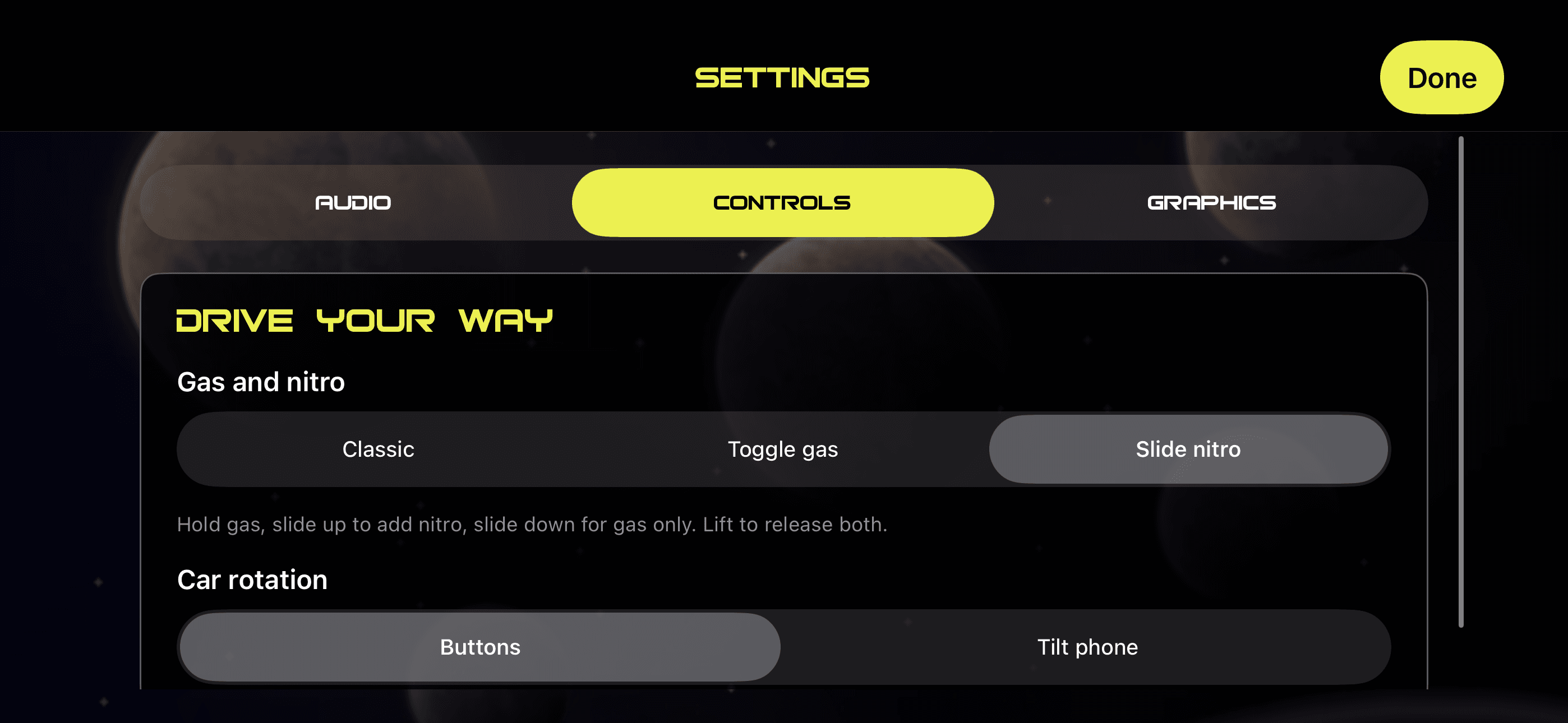
The garage comparison uses the original Flash game running in Ruffle. The other before images show an early iOS port; the after images show the reworked interface in the iOS Simulator. Game states and devices vary, so balances, equipment, and selections differ between captures.
Main menu: clearer actions and grouping
Garage: original character, clearer equipment
Shop: bring inventory, preview, and purchase together
Controls: explain the gesture beside the choice
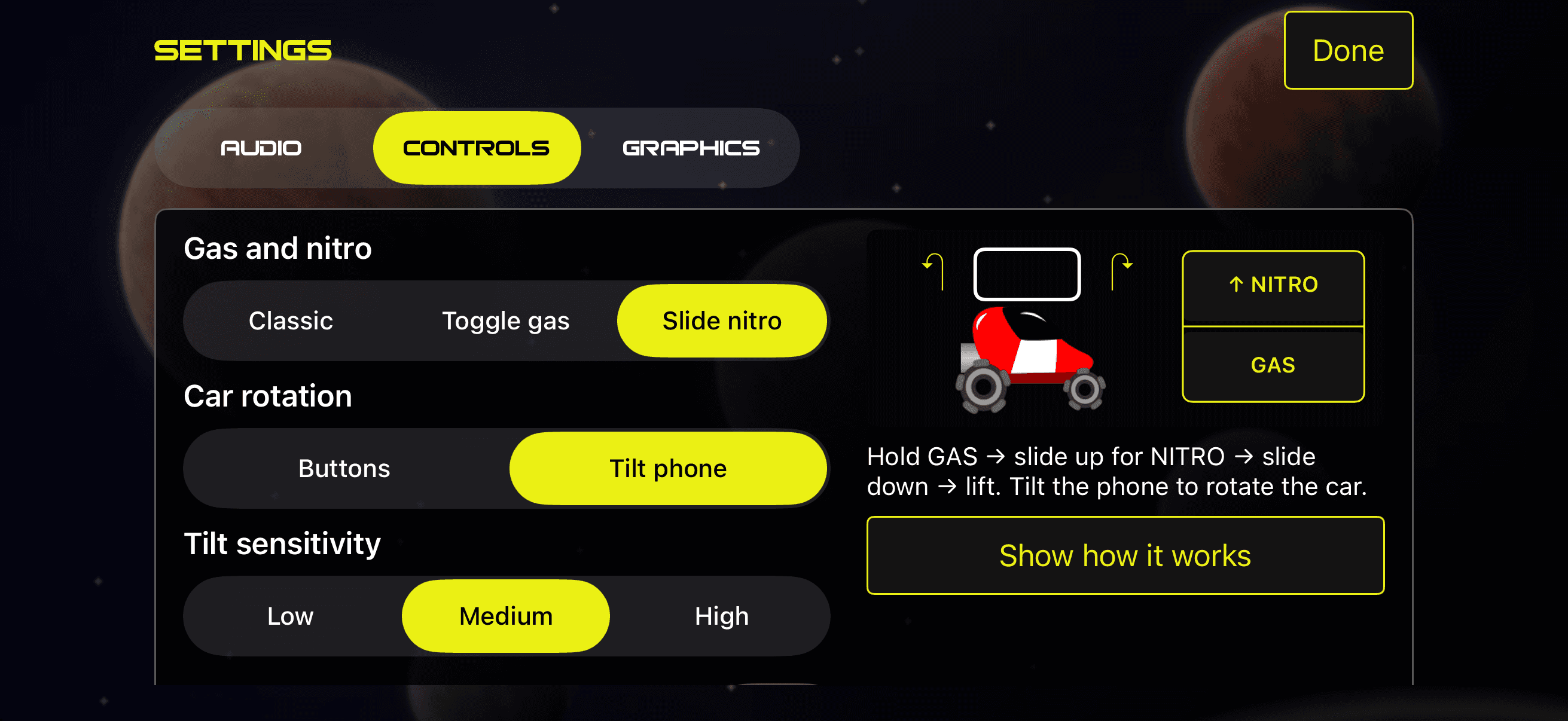
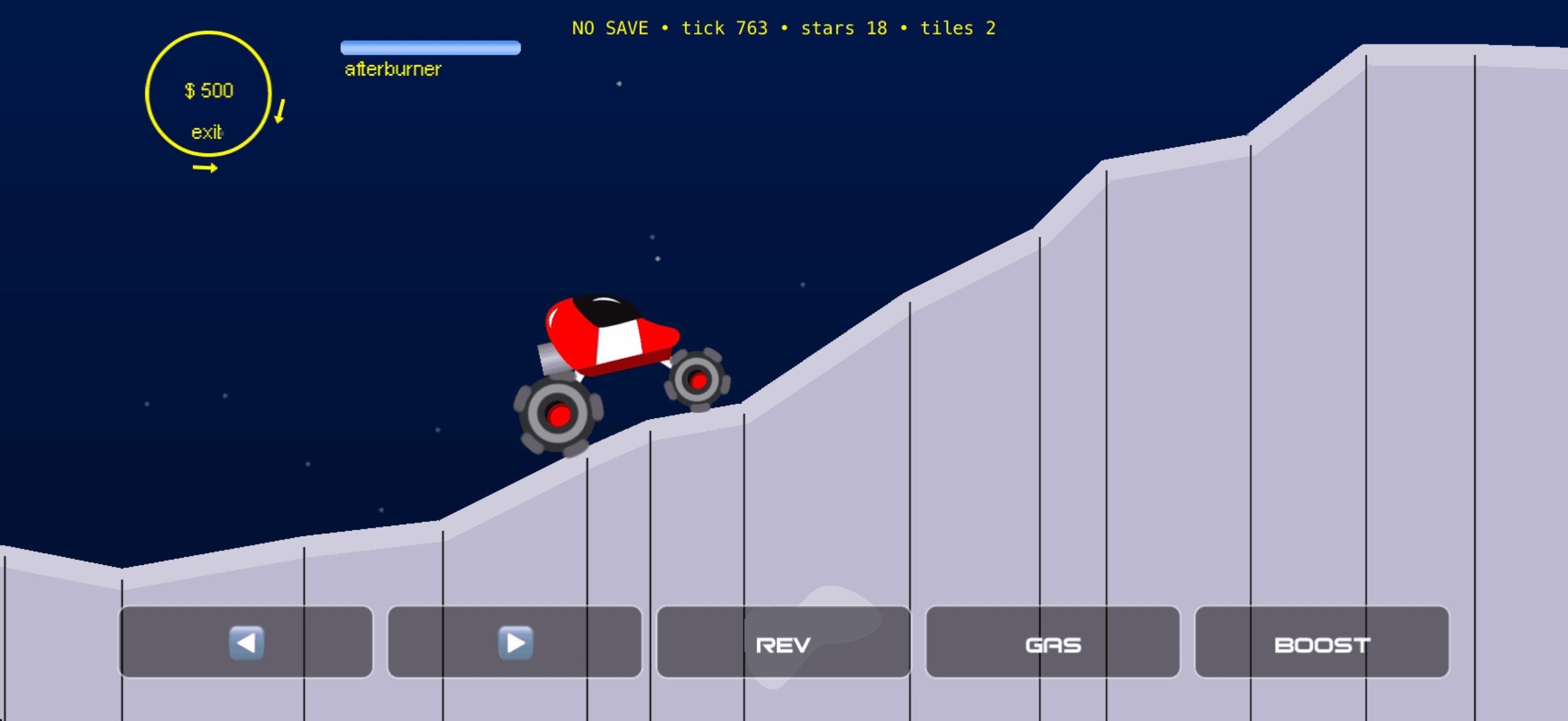
Nostalgia: the original-style native build
A new visual direction, built in layers
The Modern direction grew from vehicle studies and lunar references: recognizable silhouettes, broad matte shading, dark glass, metallic suspension, and a quieter blue and lavender environment. The aim is illustrated depth while keeping the original driving model.
That direction had to work as game artwork. Bodies, tires, hubs, suspension, and scenery needed separate layers, with the original exports retained as references for shape and placement. AI-generated revisions became sprite candidates; earlier masters and prompts were preserved.
A preliminary Modern Preview now runs in the native app. Full menus, the race display, and artwork for all planets and equipment remain in development. The interface studies below show proposed next steps.
Consistent materials across different vehicles
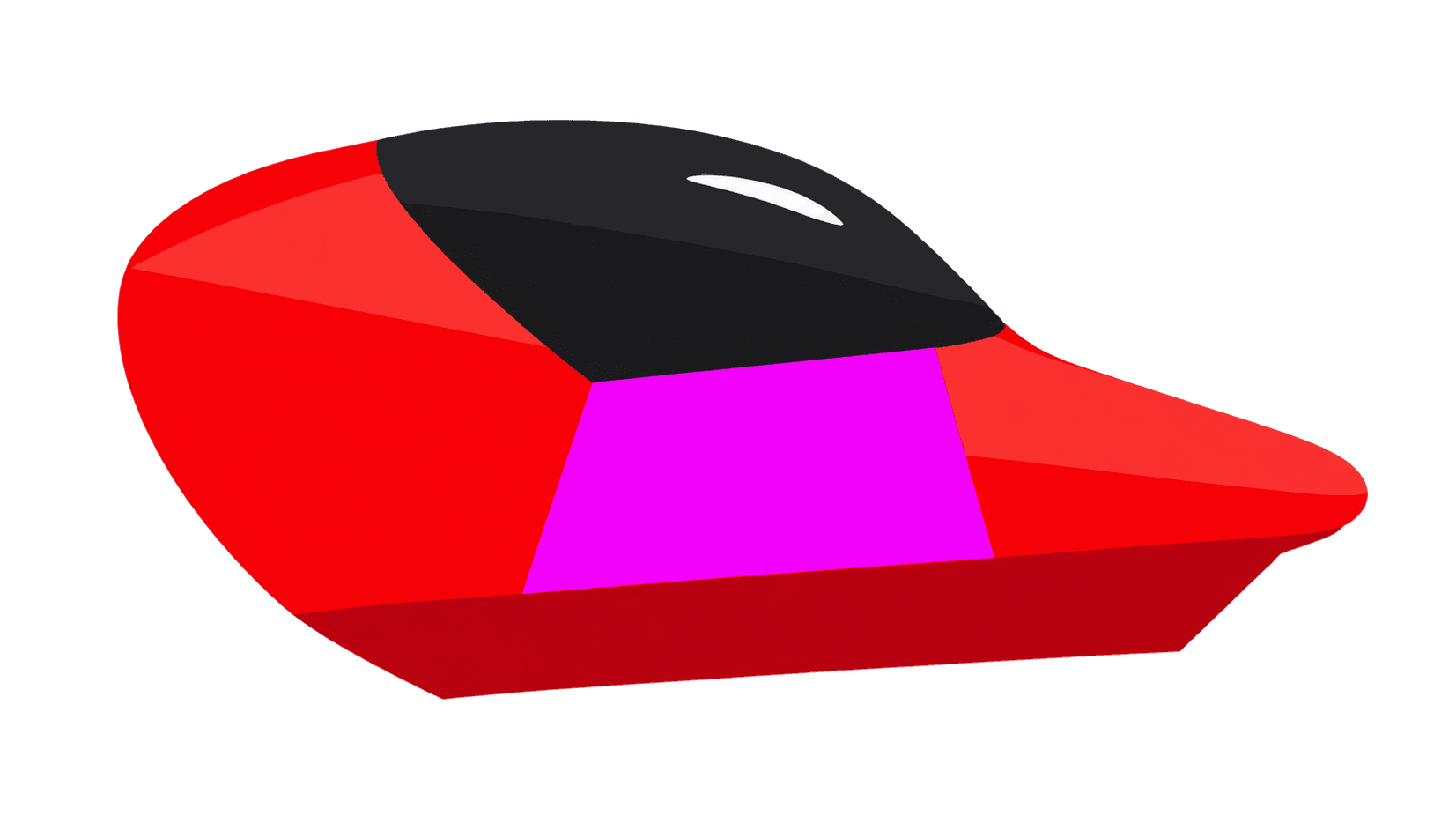
Early studies used strong glossy edges. Later revisions moved toward broad matte shading and a small white reflection near the front of the glass, echoing the original designs. Race and King provided a reference for Casual and Sports without making their silhouettes identical.
Generated edits could shift a body’s shape or transparent bounds, so each candidate also needed to fit the existing pivots, wheel centers, layers, and suspension. An appealing image still had to work inside the renderer.
Color needed similar care. Separate paint and stripe regions allow recoloring while preserving metal, glass, and reflections. King keeps its fixed yellow-and-gold livery; shared geometry avoids creating a different body for every color.
Compare the car and the terrain
Switch between Classic and Modern to compare the vehicles and landscape in a fixed view. Explore all four models or follow the Casual model’s progression from glossy highlights to matte shading and refined glass.
Lunar terrain · game fit · shared tire candidate
03 · Refined glass
The latest art study keeps the matte planes and moves the small white reflection toward the front glass. Separate paint and stripe regions preserve the livery while neutral details keep their original shading.
Source sprite shown until the layered preview is ready.
Static browser art study · 19 October 2026. Classic uses original Flash exports and the first planet’s terrain palette. Modern draws on the native lunar preview, retaining the game’s body fit and wheel sizes with fitted hubs and a shared tire. The terrain profile is illustrative; this is not a captured or playable race.
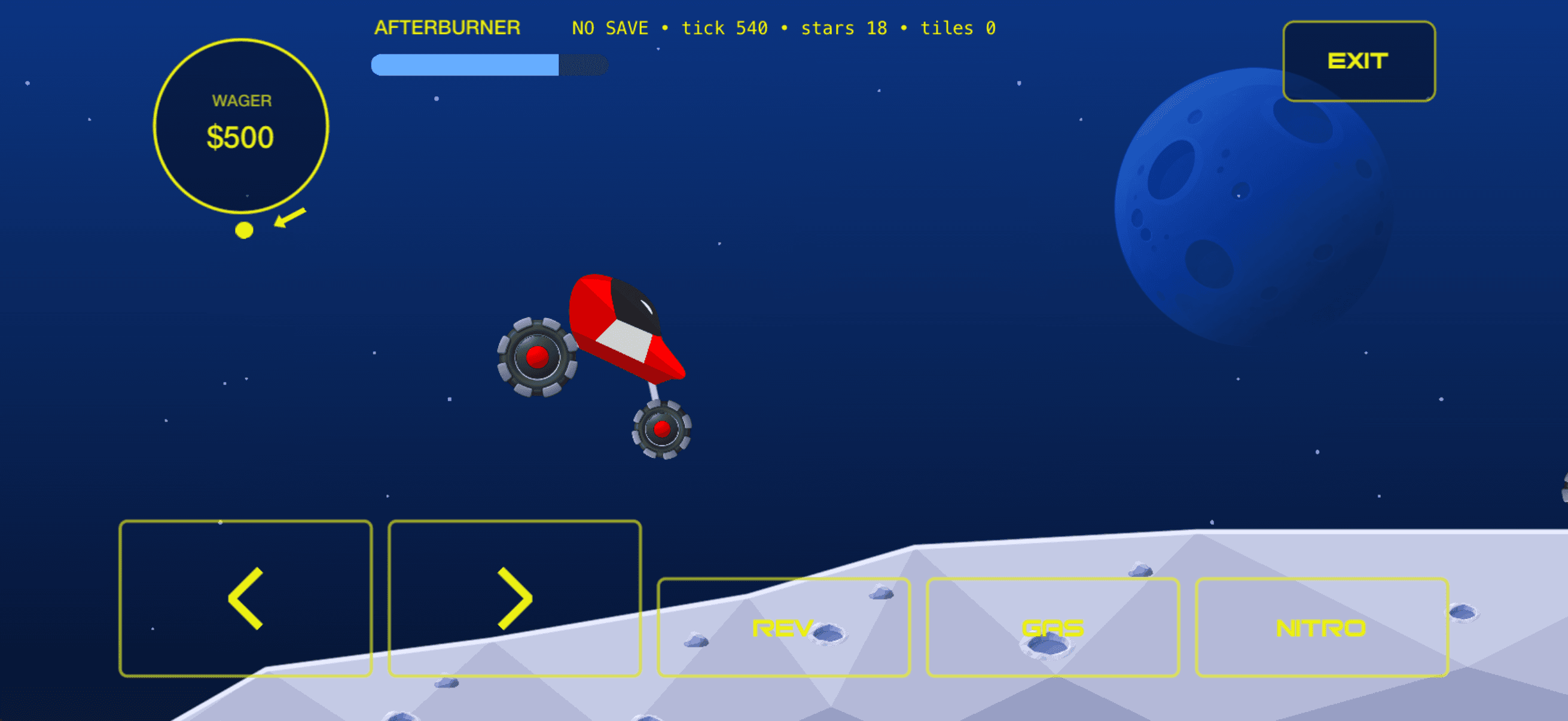
Modern Preview in the native app
Build the scenery around the driving surface
- Decision
- Use the same race state for both renderers, fitting the new vehicle and terrain artwork to the existing physics.
- Rationale
- The terrain edge follows the collision surface. Facets, rocks, and craters add visual detail without consuming random values used by the simulation.
- Tradeoff
- The preview shares one tire across equipment tiers and one lunar theme across planets. Vehicle fitting, material edges, scenery repetition, and full artwork coverage still need refinement.
- Outcome
- Native checks cover materials, preferences, simulation, pause and resume, and save preservation. A later phone installation also retained saved controls. Sustained touch handling and frame-rate performance on a device remain to be evaluated.
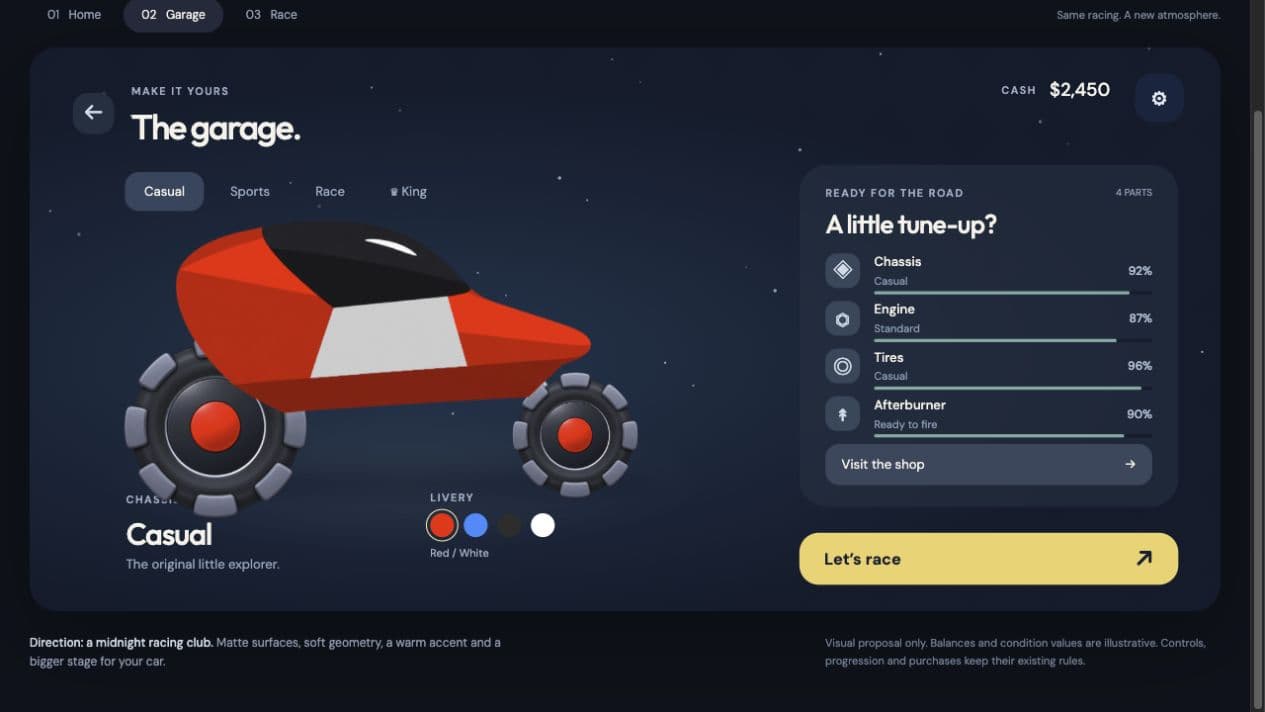
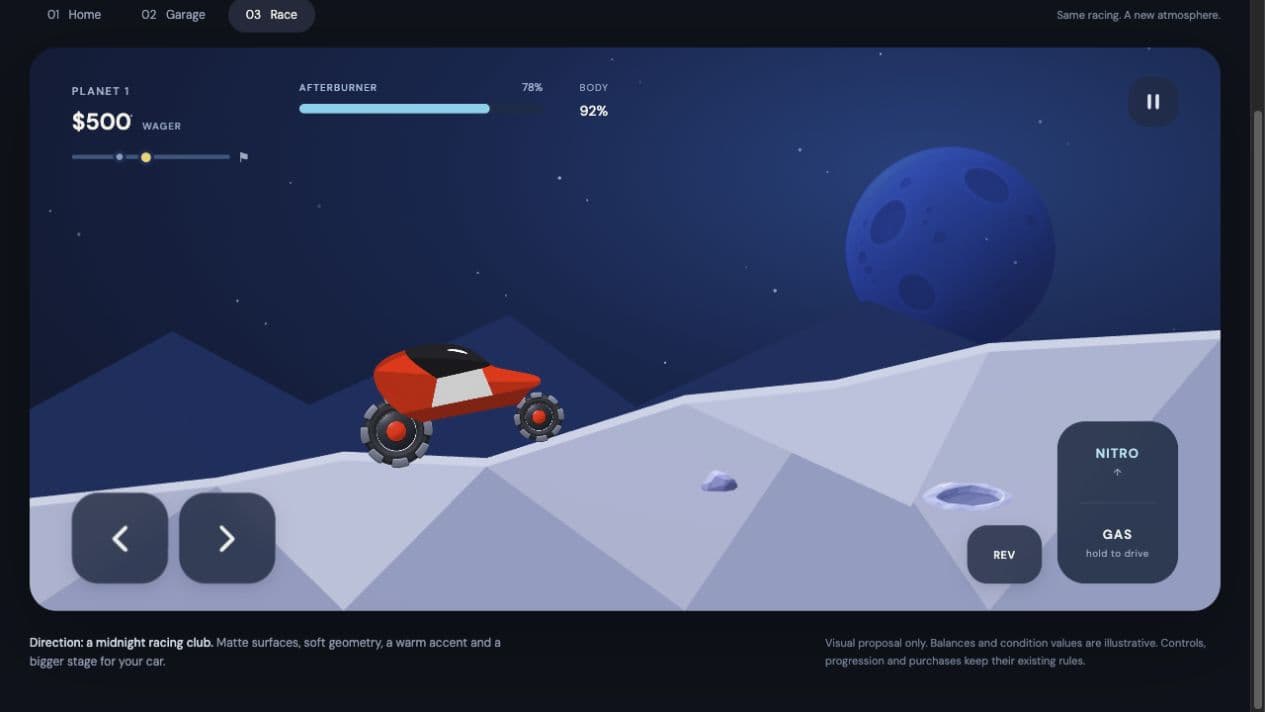
A proposed interface for the Modern direction
The interface study extends the visual direction with matte midnight-blue surfaces, warm yellow actions, rounded controls, larger vehicle artwork, and quieter supporting information. Home centers the vehicle and Continue action; Garage becomes a workshop; the race view groups driving actions within thumb reach.
These are interactive browser studies. Balances, wear, and race values are illustrative, and vehicle selectors preview artwork rather than change owned equipment. The proposed pause flow keeps controls accessible and asks for confirmation before leaving a race.
The design must also preserve the existing control choices, touch targets, cancellation, and input resets. Modern and Nostalgia already share saved preferences; changing the visual style should preserve those choices.
Garage interface study — proposal
Race HUD and controls — proposal
Separate the game clock from the screen
Simplified architecture
The original game advances at 36 simulation ticks per second. The native implementation keeps that authoritative update separate from display refresh, so drawing additional frames does not change the rules.
Reference and extraction
Preserve the SWF, inspect ActionScript, and export assets with their original registration points and audio cues.
Native simulation
Translate the vehicle, terrain, damage, opponent, and economy rules into a fixed-step Swift domain.
SpriteKit presentation
Render the world and interface while UIKit handles touch and app lifecycle boundaries.
Saved progression
Validate and atomically commit settled race outcomes, with protection against duplicate settlement after reload.
Where the adaptation became difficult
Small numerical differences changed the handling
The Swift simulation could look correct while gradually drifting from the reference during a longer replay. Small differences in math functions and arithmetic grouping accumulated through the spring and lean calculations.
Recording the first divergent update made it possible to compare individual operations with the reference Ruffle runtime. Matching its math behavior, friction grouping, and multiplication-based squaring corrected documented drift. Continuous replay then checked the integrated simulation. Some strict timer comparisons still differ and remain recorded for review.
A wider view needed a longer terrain history
The wider landscape view exposed missing ground when the vehicle reversed: the simulation had already discarded segments outside the original viewport. The renderer now retains terrain that was actually generated until it leaves the wider view. Collision and progression rules stay unchanged, and additional sky decoration uses no gameplay random values.
Original audio needed its original timing
Copying the MP3 files was not enough. Native playback durations differed from the sound windows declared in the SWF, affecting engine intros, loops, and boost cues. A preparation tool verifies the original payloads and selects the source-defined sample windows, preserving the MP3 masters alongside WAV playback assets. Duration and callback checks cover part of the behavior; audible transitions still need device listening.
Shared layout rules made the interface easier to adapt
Early screens positioned elements with independent offsets, while some text and borders remained baked into artwork. Common safe-area frames and grouped controls gave panels, labels, and actions a shared layout. Original artwork retained the game’s identity; native layout handled the elements that needed to respond to the screen. Simulator and geometry checks support the changes, with physical reach and multi-touch comfort still to be assessed.
Faithfulness required judgment
An instrumented Ruffle run exposed a non-finite value that made an arriving opponent invisible. The native adaptation kept its working arrival and documented the difference, since one runtime’s failure does not establish how every historical Flash version behaved.
The priority is recognizable handling, original audiovisual identity, correct progression, and a complete playable journey. Smaller timing and presentation differences remain visible in the backlog; lost progress, incorrect rewards, broken controls, and freezes remain defects.
Adapt the controls before redesigning the identity
- Decision
- Keep the original audiovisual direction while introducing touch controls, wider landscape framing, and native settings.
- Rationale
- The mobile adaptation needs usable input and screen composition as well as familiar game behavior.
- Tradeoff
- A wider viewport and touch interaction require their own checks; source parity alone cannot establish physical comfort.
- Outcome
- Wider landscape scenes and selectable control schemes are implemented. Broader physical ergonomics and portrait support remain separate work.
Current state
The playable MVP connects the garage, travel, racing, results, and saved progression. Equipment trading, local challenge scores, audio settings, and selectable controls are implemented. Optional Modern Preview adds matte vehicles and lunar scenery using the same gameplay and saves.
The project remains in development. Full Modern menus, the race display, and artwork coverage are unfinished; the interface studies are proposals. Complete content coverage, sustained device performance, distribution, and multiplayer remain separate work.
What the adaptation made clear
Preserving a game means understanding how its rules, controls, presentation, and saved progress work together. Source comparisons explain behavior; simulator journeys check the flow; physical-device testing establishes how it feels to play. Each contributes a different kind of evidence.
The work also informed a proposed Flash-to-iOS workflow. Its extraction and validation tools have been used on this game; applying them to other games remains untested.