Local-first collections · optional nearby reminders
On this page
AT A GLANCE
Turn saved lists into places to explore, with personal collections and optional nearby reminders.
Key facts
Key engineering decisions
Keep the collection larger than the monitoring limit
Rotate a nearby subset and share approach zones so a larger collection can receive coverage over time.
Use precise location only when needed
Start with passive movement signals, then limit precise tracking according to time, battery, and temperature.
A product in development
The app is unreleased, and this case study follows its development. Screenshots show earlier iterations and do not yet reflect the latest interface. Updated 19 October 2026.
Make saved places useful beyond the list
Saving a place is easy. Finding the right one again while exploring a city takes more work. The app starts with a familiar source—a shared Google Maps list—and turns it into places that can be browsed in personal collections and on a map.
Tags, corrections, and optional nearby reminders build on that foundation. Before any of those features can be useful, the saved collection needs to be reliable.
From a shared link to confirmed places
Import runs on the iPhone. A WKWebView extracts the shared list, and a native Google Places adapter identifies candidate matches. Confirmed places appear on a Google map; unresolved items stay available for review or correction.
Source entries, unique places, and collection memberships are stored separately. Several entries can refer to one place without creating duplicate pins, and an uncertain match remains a choice for the person importing it.
From managing imports to exploring places
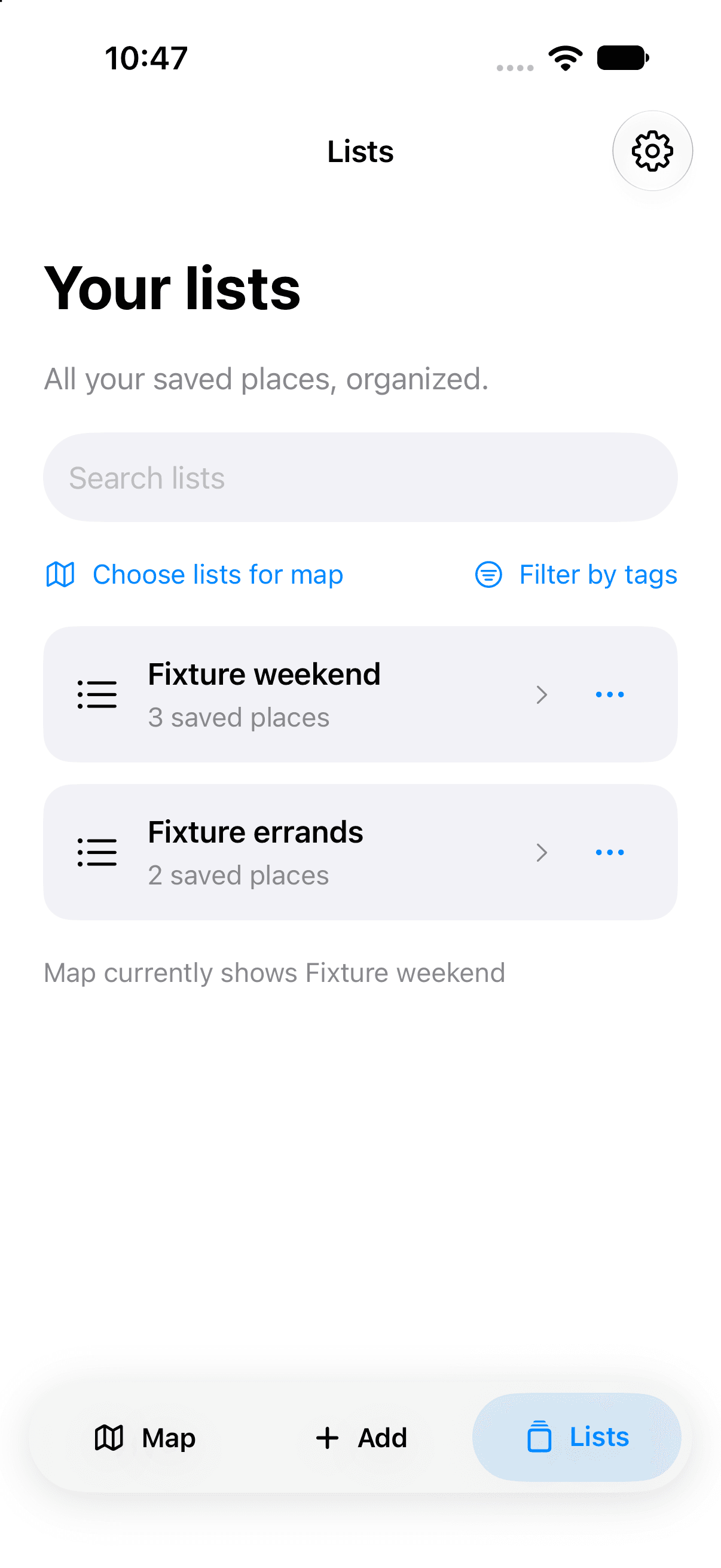
The first interface reflected the prototype’s structure: import a list, edit tags, choose map visibility, and manage source results. Those controls competed with the everyday task of finding a saved place. Opening a list and choosing which lists appeared on the map also needed distinct actions.
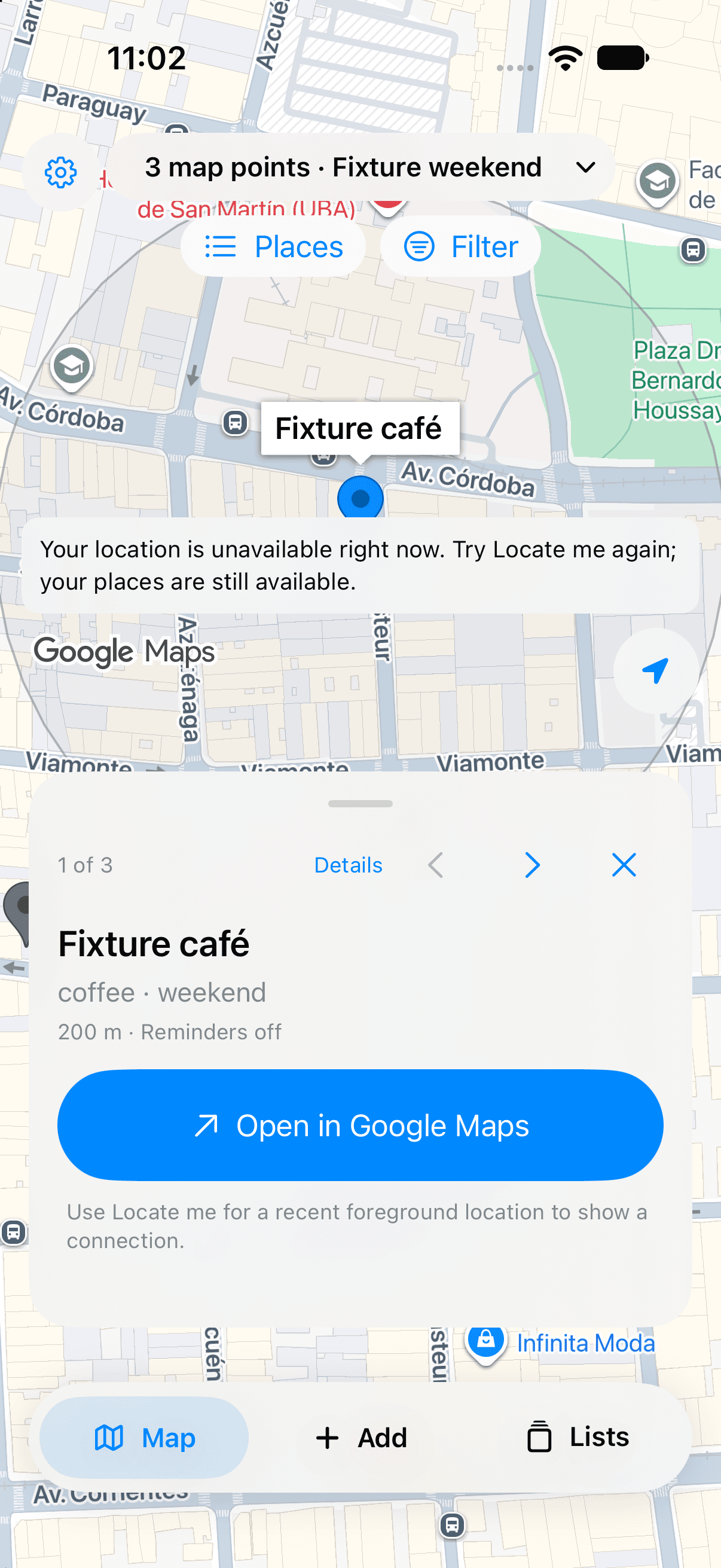
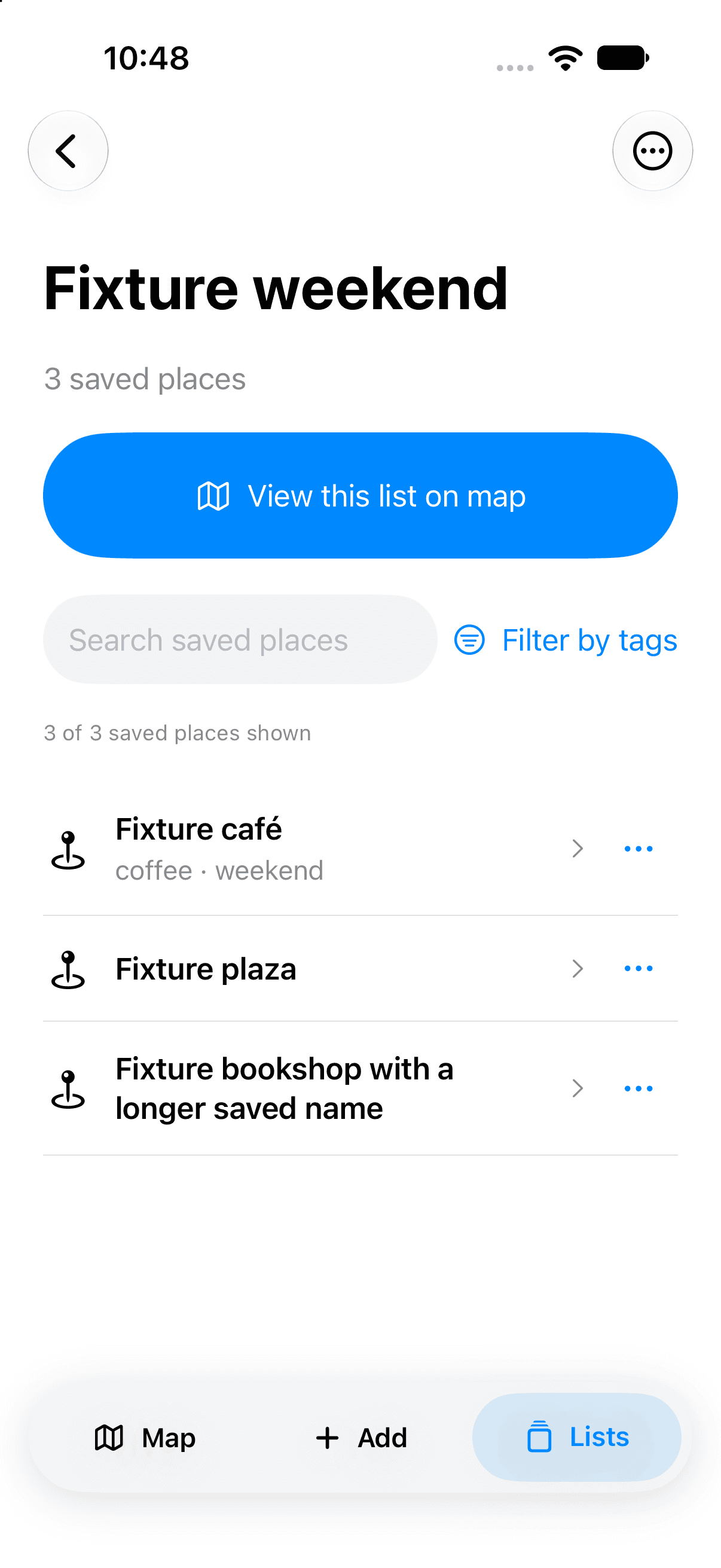
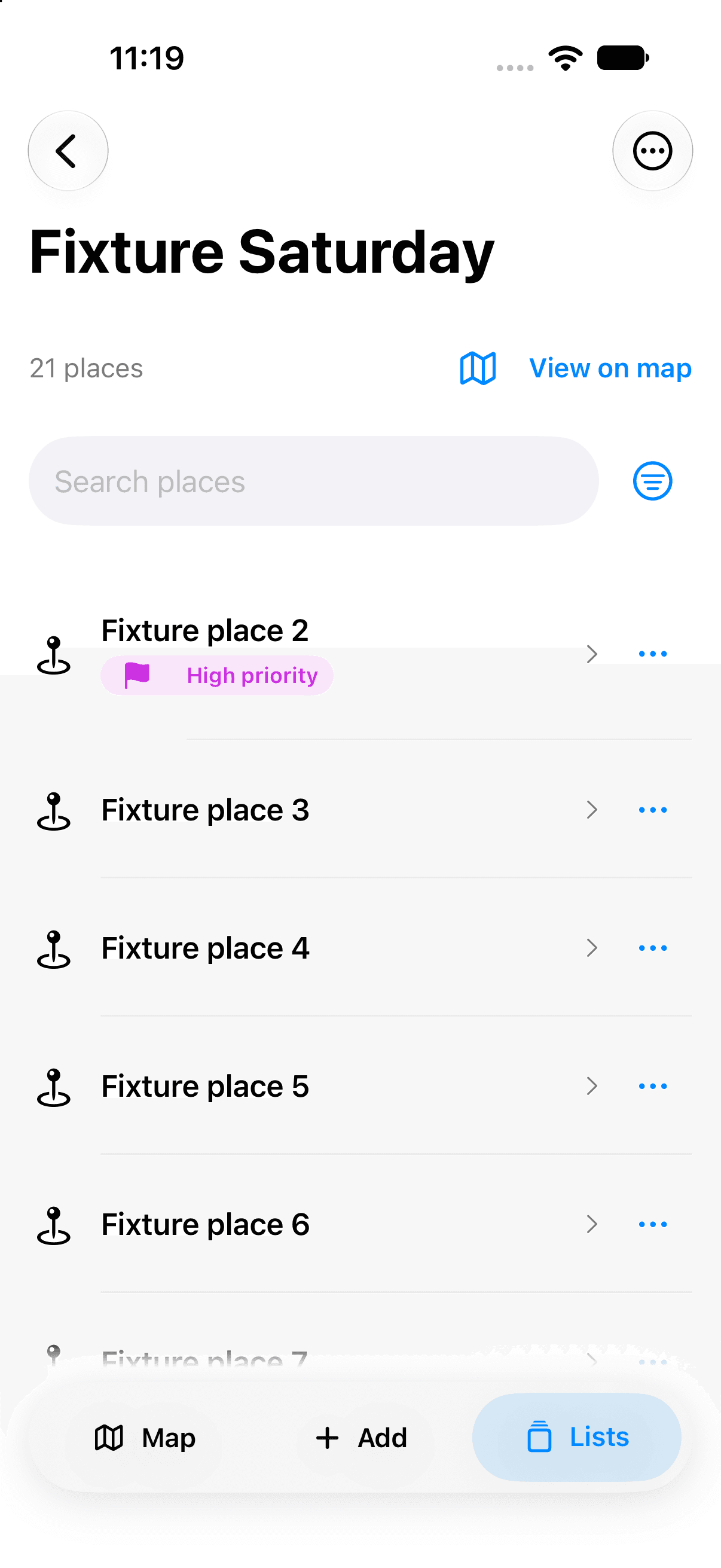
The revisions put browsing first. Compact rows made lists easier to open, search brought saved content within reach, and map selection became explicit. An initial Map / Add / Lists navigation kept browsing context, while adding or importing became a contained task with a visible save destination.
The comparisons below document implemented iterations using development data, including synthetic collections. They show the reasoning behind the changes; usability improvements have not been measured.
A consistent route from lists to the map
More room for the places themselves
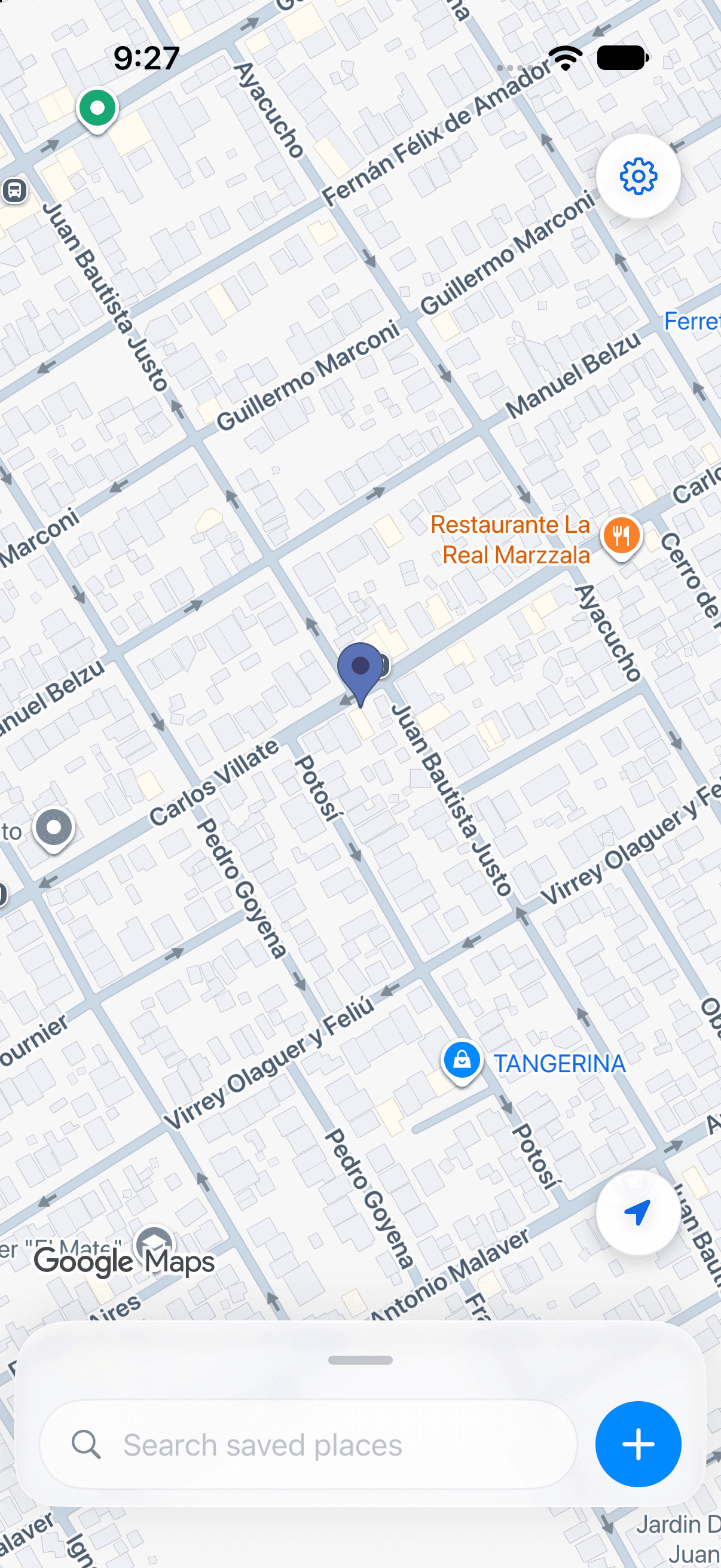
One map, one adaptable card
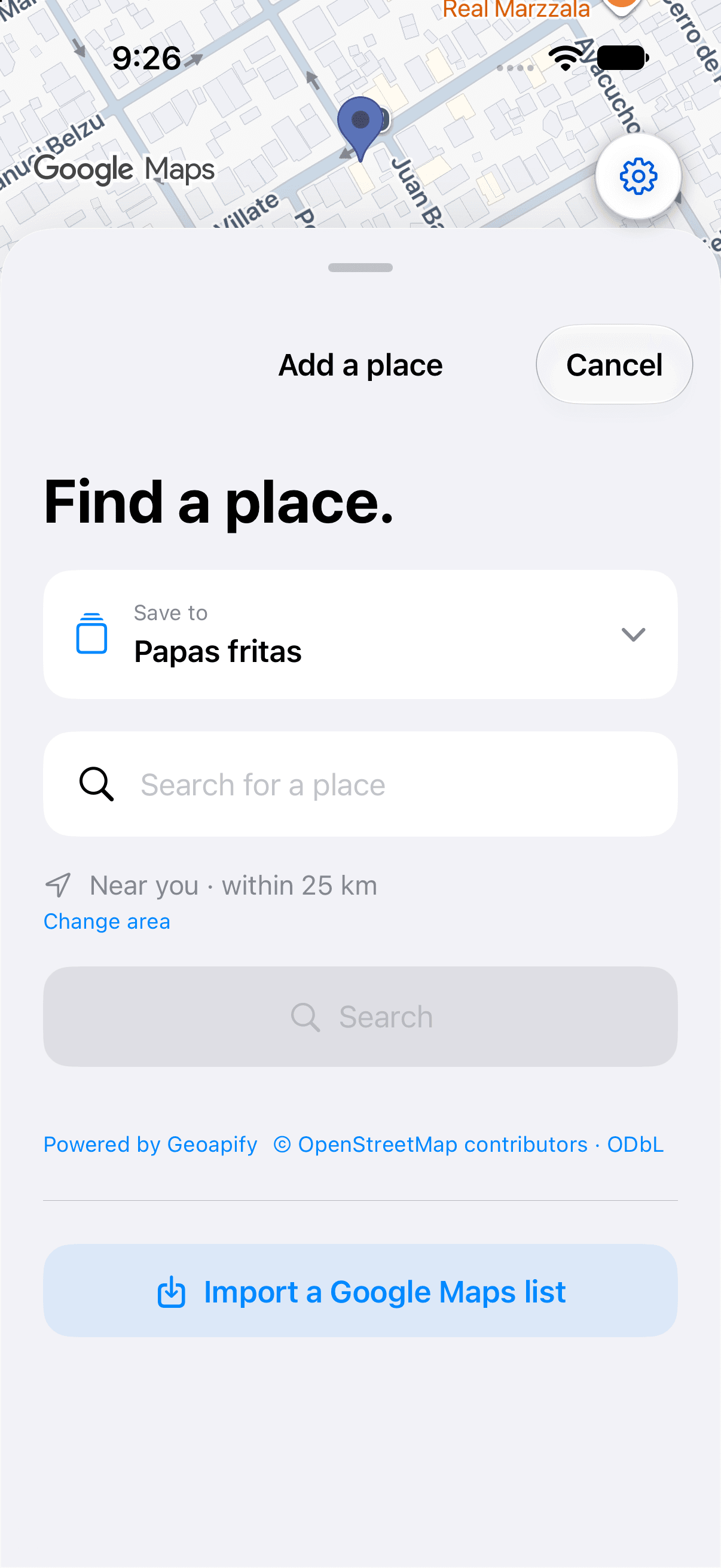
The current design keeps the map present while a single card expands from compact search to browsing, results, or an active task. It replaces the earlier three-action navigation pill and gives place details, the list library, and Add a common frame.
At half height, compact shortcuts switch between one list and the saved multi-list view, Combined. Expanded shortcuts show more information. Changing the card’s height changes how much is visible while preserving the selected places.
Search and Add remain accessible, and controls covered by the card stop receiving input. Larger text and reduced-motion and reduced-transparency alternatives are supported. Broader device gesture and VoiceOver testing remain open.
The shared card in an earlier development build
Preserve context as the task changes
Browse, search, and return
Combined restores the saved multi-list view, while a shortcut temporarily focuses one list. Global search reaches saved names and tags beyond the lists visible on the map; clearing it restores the previous view. Search within a list keeps its narrower scope, and returning from a place preserves the query, filters, ordering, and scroll position.
Selecting a map pin opens its details in the same card. Closing returns to compact browsing. List management stays in the library, and Add shows a save destination before submission. Import and place search are separate choices, with cancellation guards for active operations.
Keep the ordering predictable
A–Z and Nearest are available in browsing and search. Nearest uses valid saved coordinates and a location snapshot taken when selected, so results stay stable as the person moves. When foreground location is unavailable, the interface explains how to locate the device before offering that sort.
Make first use optional and clear
The welcome flow introduces places, lists, and reminders and can be skipped. Configured builds also offer an optional analytics choice: Allow and Continue without analytics carry equal visual weight, and either opens the full app.
A native workflow built around local collections
Simplified architecture
Import and browsing run without a custom application backend. Native adapters separate provider access from collection state and interface code.
Import coordination
Track extraction and matching progress, support cancellation, and reject callbacks from obsolete attempts.
Place identity
Identify candidate places, preserve unresolved results, and provide correction and manual entry paths.
Personal collections
Save completed results locally, avoid duplicate memberships, and preserve accepted data and tags through retries and relaunches.
Map and nearby features
Keep cards and pins synchronized; request location and notification capabilities only for features that need them.
The data decisions behind the experience
A saved place should outlive its coordinates
Personal organization and provider data have different lifetimes. Map coordinates can expire while the saved place, tags, and collection membership remain meaningful. The local model separates them and offers an explicit refresh when map data needs renewing.
That also keeps saved collections available when a lookup or map refresh fails. Local storage is the immediate source of truth; cloud backup and recovery still need live validation.
Flexible search still needs a deliberate match
Search normalizes accents, punctuation, and common street abbreviations while preserving branch names and exact numbers. The person chooses a concrete candidate rather than having a plausible nearby result accepted automatically.
A short in-memory cache reuses candidates after small movements, then reapplies the current radius, relevance, and ordering. This accepts a temporary coverage tradeoff at the cache boundary. Searching another provider remains a deliberate action.
An older archive should not restore a deleted list
A durable deletion record, or tombstone, prevents an older synchronized archive from recreating a removed collection. Shared places and memberships in other lists remain intact; deliberately importing the source again creates a new collection.
Local merge and migration checks cover this behavior. Recovery across real devices and CloudKit remains to be verified.
A larger collection within a smaller monitoring limit
Core Location allows 20 simultaneous monitored regions per app. The saved collection can be larger because storage and active monitoring serve different purposes: the app keeps the full collection and rotates a nearby subset into coverage.
The current prototype selects up to seven places at a time. Nearby destinations can share a wider approach zone, while each keeps a smaller arrival region. Even without sharing, this uses at most 14 geographic conditions and leaves capacity for other registrations. The planner checks available capacity before installing a plan.
Significant-change location updates let coverage move with the person, replacing distant candidates with nearer ones. Accuracy requirements, movement thresholds, and a minimum replanning interval prevent small position changes from constantly replacing regions.
This gives a larger collection coverage over time, subject to system-delivered updates. The whole collection is not monitored continuously, and a coarse movement signal does not establish arrival.
Use precise location in short sessions
The reminder design starts with region events and significant-change updates. An approach can trigger a limited precise-location session to check arrival, when permissions allow. Tracking stops when the task finishes, a location fix cannot be obtained, the person stops moving, or a time or permission limit is reached.
Normal limits allow 30 seconds to acquire a fix, 90 seconds stationary, and at most ten minutes per session. A rolling daily allowance caps requested precise tracking at 30 minutes, with protection against rapid restarts. Time is reserved before tracking begins and survives relaunch; interrupted sessions retain conservative charges. Passive coverage can continue when that allowance is exhausted, where the system permits.
Below 20% battery, in Low Power Mode, or under serious thermal pressure, session limits shrink to three minutes and stationary stops to 45 seconds. Critical heat stops precise tracking and blocks new sessions. Recovering battery or temperature does not extend a deadline or restart tracking. Native power and thermal notifications drive these changes.
These controls limit the app’s location requests. Measured energy savings and broader background reliability remain to be validated, and system restrictions can still pause monitoring.
Keep completed work through an interrupted import
- Decision
- Persist completed stages and settled results while keeping active import progress temporary.
- Rationale
- Cancellation, backgrounding, or a late provider response should preserve a previously accepted collection.
- Tradeoff
- An interrupted stage may need to run again; the last completed result remains the recovery point.
- Outcome
- Targeted checks cover identity, retries, cancellation, and persistence, alongside selected simulator and physical-device journeys.
Current state
Import and correction, multiple collections, tags and filters, map and card browsing, local storage, and experimental nearby reminders are implemented. Simulator checks and selected physical-device journeys document the current work.
The app remains unreleased. Broader device and background testing, live CloudKit recovery, and VoiceOver checks are still pending. An AI assistant and outing planner remain ideas for future development.
Trust is part of the interaction
A useful saved-places app needs more than pins on a map. It has to preserve personal choices, explain uncertain matches, and remain understandable when a lookup fails or an import is interrupted.
Separating personal collections from provider data made those requirements concrete. Identity, freshness, and recovery became design decisions that shape the everyday experience.